


 Downloader
 Free FTP
How to Download a BIS Certificate from Manakonline
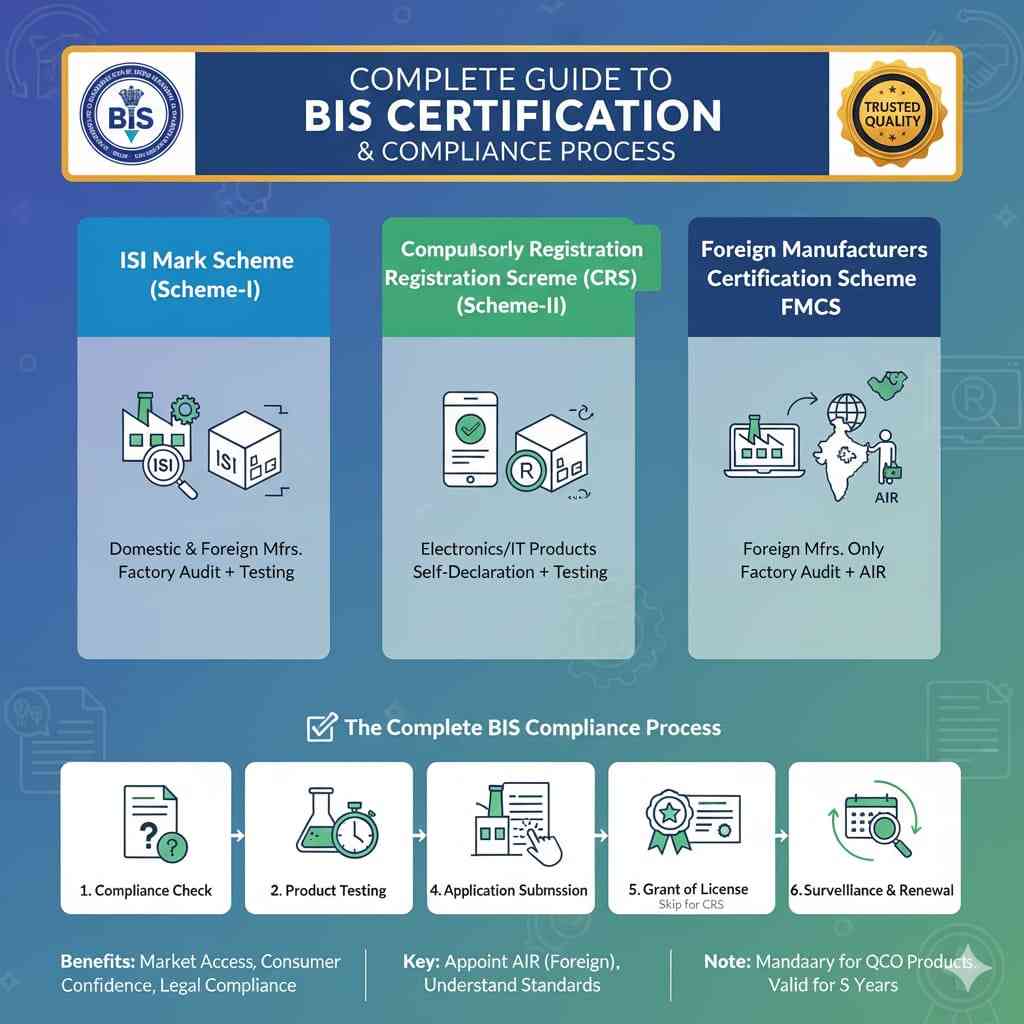
How to download a BIS certificate from Manakonline” is a common query among manufacturers, importers, and brand owners dealing with BIS compliance in India. The availability of a downloadable certificate depends on the BIS scheme applicable to your product—the ISI Certification Scheme or the Compulsory Registration Scheme (CRS).
The first step is to identify the applicable Indian Standard (IS) and confirm whether your product falls under ISI (license-based certification with factory surveillance) or CRS (mandatory registration for electronics and IT products). Clearly defining the scope—models or variants, ratings, and critical components—helps ensure correct testing, application, and post-approval compliance.
Downloading BIS Documents from Manakonline
CRS Products (Electronics & IT):
For products registered under CRS, once BIS approval is granted, the Registration Certificate (R-number) can be downloaded directly from the Manakonline portal. Manufacturers or their Authorized Indian Representatives (AIR) can log in to their Manakonline account, access the approved application, and download the registration certificate. This document is commonly used for customs clearance, tenders, and regulatory verification.ISICertified Products:
Under the ISI Scheme, BIS issues a License (CM/L) to the manufacturer after factory inspection and approval. The full ISI license certificate is generally not available for public download on Manakonline. However, license details—such as manufacturer name, product scope, applicable IS, and validity status—can be verified online through the Manak/BIS portal using the CM/L number. Manufacturers usually receive the official license letter directly from BIS, which can be shared when required.
Important Points to Note
BIS-recognized laboratories only conduct testing and issue test reports; they do not issue or allow downloading of BIS certificates. Online verification on Manakonline is considered valid public proof of BIS approval. For audits, tenders, or inspections, it is advisable to download or print the CRS certificate (if applicable) or the online license verification page and maintain it in compliance records.
After approval, manufacturers must strictly follow BIS marking and packaging requirements—using the ISI mark with CM/L number or the CRS R-number along with the applicable IS reference. Records must be maintained for surveillance, renewals tracked, and any product changes evaluated to ensure continued validity.
In summary:
CRS certificates can be downloaded from Manakonline after approval, while ISI licenses are verified online but not typically downloadable in full. Following a checklist-based approach—scope identification, documentation, testing, application, and post-approval controls—helps ensure smooth BIS compliance and proper use of Manakonline.
URL:- https://bis-certifications.com/download-bis-certificate-manakonline

 English
 Arabic
 French
 Spanish
 Portuguese
 Deutsch
 Turkish
 Dutch
Dutch
 Italiano
 Romaian
 Portuguese (Brazil)
 Greek
Greek
