


 Downloader
 Free FTP
Laptop Hard Drive Replacement – Everything You Need to Know Before You Upgrade or Repair
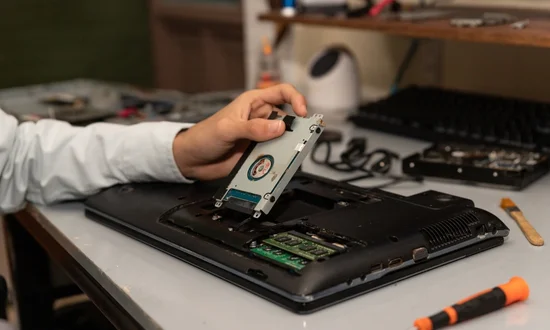
Hard drive issues are one of the most common causes of laptop failure. Whether your laptop has slowed down, stopped booting, or started losing files, hard drive replacement is often the most practical and affordable solution.
At Eastern Laptop Repair, we specialize in laptop hard drive replacement services that help users recover data, improve speed, and extend the life of their devices.
Why Laptop Hard Drives Fail
Hard drives can fail due to several reasons, including:
-
Normal wear and tear over time
-
Physical damage or drops
-
Overheating
-
Power surges or improper shutdowns
-
Manufacturing defects
Once failure begins, performance rapidly declines, making replacement essential.
Common Symptoms of Hard Drive Failure
If your laptop shows any of the following symptoms, immediate replacement may be required:
-
Laptop takes minutes to start
-
Programs open very slowly
-
Files disappear or won’t open
-
System displays disk-related errors
-
Laptop fails to recognize the drive
Ignoring these signs can lead to total data loss.
Benefits of Replacing Your Laptop Hard Drive
A professional hard drive replacement offers multiple advantages:
-
Faster system performance
-
Increased storage capacity
-
Improved reliability
-
Reduced risk of data loss
-
Extended laptop lifespan
Upgrading from an HDD to an SSD can make an older laptop feel dramatically faster.
Data Safety During Hard Drive Replacement
One major concern users have is data loss. At Eastern Laptop Repair, we take data protection seriously.
Our technicians:
-
Assess whether data can be backed up or recovered
-
Transfer files to the new drive whenever possible
-
Ensure operating system and essential software are properly installed
Even in severe failure cases, data recovery options may still be available.
DIY vs. Professional Hard Drive Replacement
While some users attempt DIY replacement, professional service is recommended because:
-
Incorrect installation can damage internal components
-
Wrong drive selection can cause compatibility issues
-
Operating system installation errors are common
-
Data recovery requires specialized tools
Professional replacement ensures the job is done safely and correctly the first time.
Laptop Brands We Support
Eastern Laptop Repair provides hard drive replacement for:
-
HP
-
Dell
-
Lenovo
-
Apple MacBook
-
Acer
-
ASUS
-
MSI and more
Both personal and business laptops are supported.
What to Expect from Eastern Laptop Repair
When you bring your laptop to us, you receive:
-
Accurate diagnostics
-
Honest recommendations
-
High-quality replacement drives
-
Skilled installation
-
Post-repair testing and support
Our goal is to restore your laptop’s performance while keeping your data secure.
Conclusion
Laptop hard drive problems don’t have to mean the end of your device. A timely laptop hard drive replacement can restore performance, reliability, and peace of mind.
Trust Eastern Laptop Repair for professional, data-safe, and performance-focused hard drive replacement services that keep your laptop running smoothly.

 English
 Arabic
 French
 Spanish
 Portuguese
 Turkish
 Dutch
Dutch
 Italiano
 Russian
 Romaian
 Portuguese (Brazil)
 Greek
Greek
