


 Downloader
 Free FTP
How Automated Folder Templates Improve Project Organization
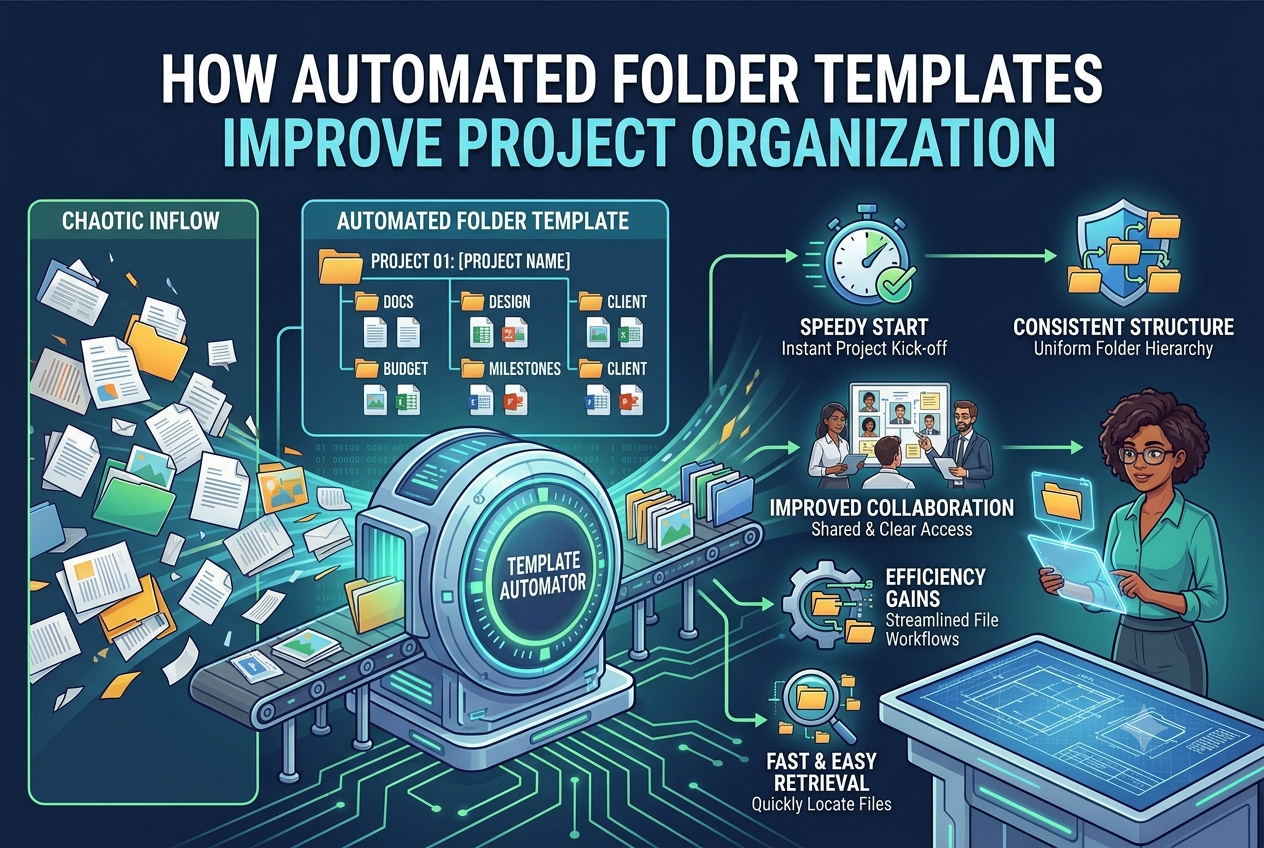
Keeping digital files organized becomes increasingly difficult as businesses grow. Every new client, project, or department generates documents that need to be stored in a logical and consistent way. Contracts, reports, presentations, invoices, images, and other important files quickly accumulate, making it harder for teams to find the information they need when folder structures are created manually.
Many organizations begin with a simple filing system that works well for a small team. As operations expand, different employees often create folders using different naming conventions and layouts. Over time, this inconsistency leads to duplicate folders, misplaced documents, and unnecessary time spent searching for files instead of completing productive work.
One effective way to solve this challenge is through Dropbox folder automation. Automating repetitive folder creation helps businesses maintain consistent organization while reducing the manual effort required every time a new project or client is added.
Why Consistent Folder Organization Matters
A well planned folder structure makes collaboration much easier.
When every project follows the same layout, employees know exactly where documents belong. New team members can quickly understand the organization system, and project handovers become smoother because everyone follows the same structure.
Organized folders also reduce duplicate files, improve document security, and make it easier to archive completed projects for future reference.
The Cost of Manual Folder Creation
Creating folders manually may only take a few minutes for each project, but repeating the same task throughout the year becomes surprisingly time consuming.
For example, a digital marketing agency may create folders for proposals, contracts, campaign assets, content, analytics reports, invoices, and final deliverables for every client. If each account manager builds these folders differently, finding files later becomes more difficult for designers, writers, and project managers.
The same challenges affect industries such as healthcare, construction, consulting, accounting, legal services, education, and real estate.
Real World Example
Imagine a software development company launching several client projects every month.
Each project requires folders for requirements, design documents, development files, testing reports, deployment resources, client feedback, and project documentation. Without a standardized folder structure, every project team may organize files differently, making collaboration less efficient.
Using predefined templates ensures every project begins with the same organized framework, allowing employees to focus on delivering quality work instead of organizing folders.
Planning Before Automating
Automation works best when businesses first establish a clear folder hierarchy.
Questions to consider include:
-
Which folders should every project contain?
-
How should folders be named?
-
Who needs access to each folder?
-
Which documents require restricted permissions?
-
Will the structure continue supporting future growth?
Careful planning creates a folder system that remains effective as business operations expand.
The Advantages of Automation
Automating folder creation helps eliminate repetitive administrative work while improving consistency across projects.
Benefits include:
-
Faster project setup
-
Reduced manual errors
-
Standardized folder structures
-
Better collaboration
-
Easier document management
Instead of spending valuable time recreating the same hierarchy repeatedly, employees can begin working immediately within a familiar and organized workspace.
Solutions such as EZFolders help organizations automate folder creation while maintaining consistency across cloud storage platforms, making it easier to manage projects without requiring technical expertise.
Preparing for Business Growth
As organizations continue growing, the number of files and folders increases alongside them.
Businesses that establish standardized folder management processes early are better prepared for expansion because employees can locate information more quickly, collaborate more effectively, and maintain organized workspaces across departments.
Strong folder organization also supports employee onboarding, simplifies project management, and reduces operational inefficiencies.
Conclusion
Efficient file organization is an important part of running a productive business. Consistent folder structures reduce confusion, improve collaboration, and help teams work more efficiently from the beginning of every project.
Using a project folder template Google Drive allows businesses to create standardized workspaces that support better document management, improve team productivity, and provide a scalable foundation for future growth.
Frequently Asked Questions
1. What is Dropbox folder automation?
Dropbox folder automation automatically creates predefined folder structures, reducing manual work and ensuring consistent organization.
2. Why should businesses use project folder templates?
Project folder templates save time, standardize file organization, and help teams collaborate more effectively.
3. Which industries benefit from automated folder management?
Marketing agencies, construction companies, legal firms, healthcare providers, consultants, educational institutions, and accounting firms all benefit from organized folder structures.
4. How do standardized folders improve productivity?
They make files easier to find, reduce duplicate documents, simplify collaboration, and eliminate repetitive setup tasks.

 English
 Arabic
 French
 Spanish
 Portuguese
 Deutsch
 Turkish
 Dutch
Dutch
 Russian
 Romaian
 Portuguese (Brazil)
 Greek
Greek
