


 Downloader
 Free FTP
Why Growing Teams Need a Smarter System for Folder Setup
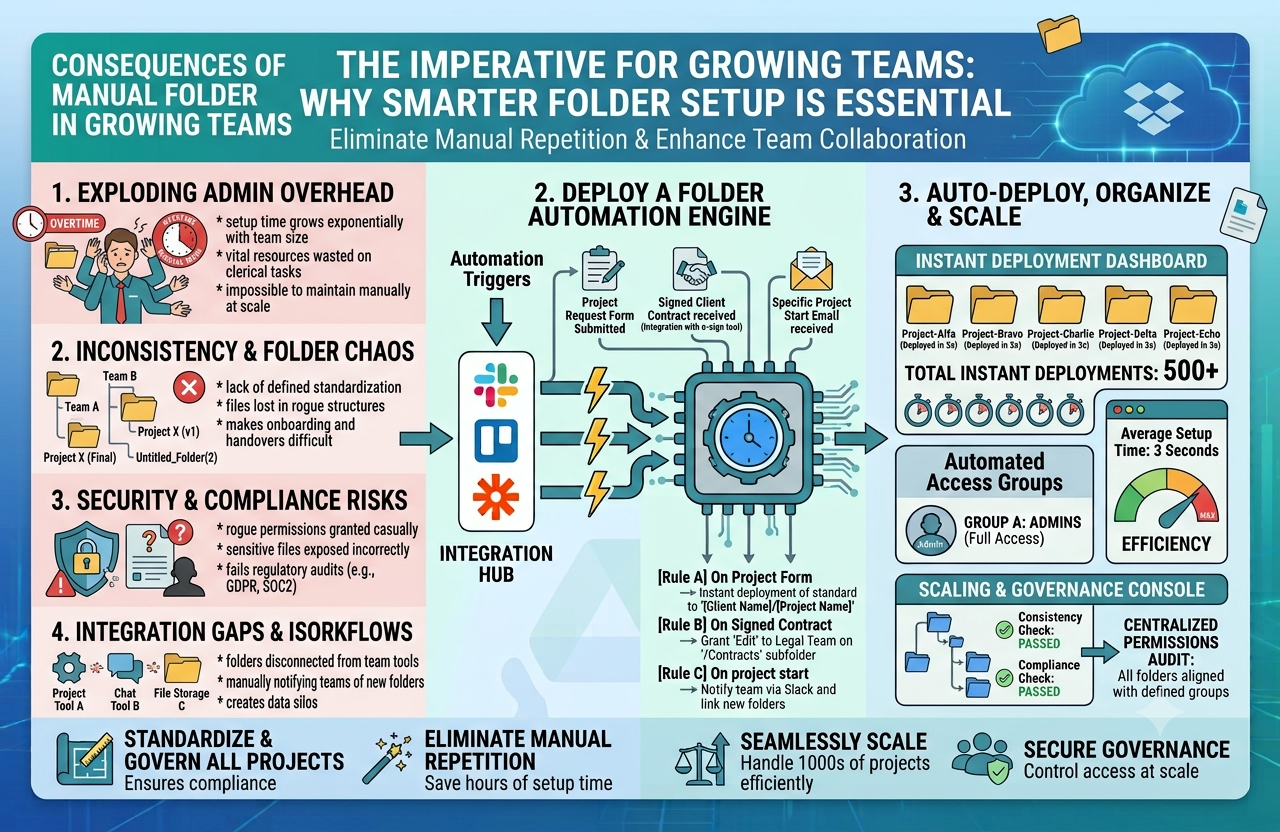
As businesses handle more files across clients, projects, departments, and internal processes, folder management becomes harder to control. What begins as a simple storage system often turns into a maze of duplicated folders, inconsistent naming, missing subfolders, and too much manual setup. The problem is not always the storage platform itself. In many cases, it is the process behind how folders are created and maintained.
For teams that rely on cloud storage every day, file organization should not depend on memory or repetitive admin work. When the same folder structures need to be recreated over and over, manual setup becomes inefficient and difficult to scale. This is especially true for agencies, operations teams, real estate businesses, HR departments, legal firms, and any business that works with repeatable workflows.
Where manual folder creation starts to break down
At a small scale, building folders by hand might seem harmless. A few clicks here and there does not feel like a major issue. But once your business is setting up new client folders, employee folders, campaign folders, or project workspaces every week, those few clicks turn into a significant drain on time.
The bigger issue is inconsistency. When different people create folders manually, they often follow slightly different naming conventions or leave out important parts of the structure. Over time, that creates confusion and makes the file system harder to manage.
Some common signs of a broken folder process include:
-
Folder structures vary from one project to another
-
Team members are unsure where specific documents should go
-
Important folders are missing because they were forgotten during setup
-
Duplicate folders are created for the same client or task
-
Time is wasted searching for files or correcting the structure later
These issues can affect collaboration, onboarding, reporting, and overall productivity. What should be a simple file system starts creating friction across the business.
Why automation makes folder management easier
A good folder setup process should be repeatable, consistent, and easy for any team member to follow. If your business runs on recurring workflows, then the way folders are created should support those workflows rather than slowing them down.
For example, a digital agency may need every new client folder to include contracts, onboarding files, content drafts, design assets, approvals, reports, and invoices. A property management company may need a standard structure for each property with inspection records, maintenance documents, leases, financial files, and communication logs.
Instead of building those structures manually each time, many teams now look for a folder structure automation tool to handle setup more efficiently. This helps ensure that every folder follows the same layout while reducing the amount of repetitive work required from the team.
What teams gain from automating folder setup
When folder creation becomes part of a more structured workflow, the benefits show up quickly in day-to-day operations.
Better consistency
Every client, project, or department can follow the same folder layout, making files easier to locate and manage.
Less repetitive admin work
Teams spend less time clicking through manual setup tasks and more time on the work inside those folders.
Fewer errors
Automated setup reduces the chance of skipped subfolders, inconsistent naming, or misplaced files.
Easier onboarding
New team members can learn the file system faster when the structure is standardized across the business.
More scalable operations
As your business grows, folder creation no longer becomes a bottleneck that slows down new work.
Simple ways to improve your current folder system
If your file organization feels harder to manage than it should, reviewing your folder process is often a good place to start.
-
Standardize naming conventions across teams
-
Build repeatable templates for common workflows
-
Keep folder hierarchies practical and easy to navigate
-
Audit shared storage regularly to remove clutter
-
Make sure everyone follows the same structure from the beginning
Folder management should support your workflow, not create more admin work. When teams move away from manual folder setup and toward a more consistent system, they can stay organized more easily, work faster, and reduce the friction that comes with growing file libraries.

 English
 French
 Spanish
 Portuguese
 Deutsch
 Turkish
 Dutch
Dutch
 Italiano
 Russian
 Romaian
 Portuguese (Brazil)
 Greek
Greek
