


 Downloader
 Free FTP
Promote Your Product
Got a product, service, or story to share? Promote it directly to our active community and boost your brand today.
Create an Ad
Publish Bulk Blog Posts
Boost Your Reach! 📝
Have articles, guest posts, or bulk stories to publish? Send your content directly to our editorial team and feature on our platform.
Email Us Your PostsEmbroidery Digitizing: The Complete Guide to Flawless Stitches
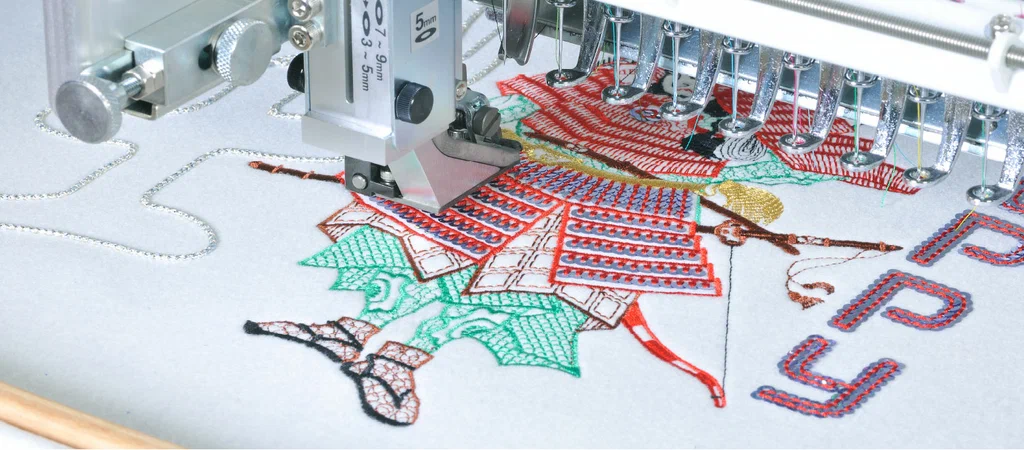
Ever sent a beautiful logo to a stitching machine and gotten back something that looked nothing like your design? That's not a machine problem — it's almost always a digitizing problem. If you've ever wondered why two designs that look identical on a screen come out completely different on fabric, the answer lies in embroidery digitizing.
Embroidery digitizing is the process of converting artwork, logos, or images into a stitch file that an embroidery machine can actually read and execute. It's the invisible step that decides whether your final product looks crisp and professional, or messy and amateur. A lot of people assume embroidery machines "just embroider" whatever image you feed them. In reality, every single stitch, direction, density, and pull compensation has to be mapped out in advance by a digitizer who understands how thread behaves on different fabrics.
Here's something most people don't know: the same logo can need a completely different stitch file depending on whether it's going on a cap, a t-shirt, a denim jacket, or a fleece hoodie. Fabric stretch, thickness, and texture all change how the design needs to be digitized. Skip this step or get it wrong, and you end up with puckering, gaps, thread breaks, or a design that simply doesn't match your original artwork.
This guide breaks down everything you need to know about embroidery digitizing — what it is, why it matters, how the process works, what tools and machines are involved, and how to choose a service that won't waste your time or money. Whether you're a small business owner, a hobbyist with a new embroidery machine, or someone running a custom apparel brand, this is for you.
By the end, you'll understand exactly why professional digitizing makes such a massive difference, and how to avoid the common mistakes that ruin otherwise great designs.
What Is Embroidery Digitizing and Why It Matters
Embroidery digitizing is the technical process of converting a static image, like a JPEG or vector logo, into a stitch file format (such as DST, PES, or EXP) that an embroidery machine can interpret. The software doesn't just trace the outline of your image — it determines stitch type, sequence, density, and direction for every single element in the design.
Think about it: a human eye can look at a logo and instantly understand the shapes, colors, and details. A machine can't do that on its own. It needs explicit instructions for where the needle goes, how many times it goes there, and in what order. That's the digitizer's job, and it's part craft, part technical skill.
This is exactly why two embroiderers can take the same logo and produce wildly different results. One understands underlay stitches, pull compensation, and density adjustments for the specific fabric. The other just runs auto-digitizing software and hopes for the best. The difference shows up the moment the needle hits fabric.
A properly digitized file accounts for the fabric type, the size of the final design, the thread weight, and even the embroidery machine being used. Get it right, and you get clean edges, accurate colors, and a design that holds up after dozens of washes. Get it wrong, and you're looking at thread breaks, fabric puckering, and a logo that barely resembles the original.
This is also why so many people search for embroidery digitizing services instead of trying to handle it themselves. It's a specialized skill that takes years to master properly.
How the Embroidery Digitizing Process Actually Works
The embroidery digitizing process starts with the original artwork and ends with a machine ready stitch file. It typically involves importing the image into digitizing software, manually tracing or rebuilding the shapes as stitch objects, assigning stitch types, setting density and underlay, and finally exporting the file in the correct format for the embroidery machine.
Most beginners assume software does all the heavy lifting. It doesn't. Auto digitizing tools exist, but they almost always produce rough results that need manual cleanup, especially with small text, fine details, or gradients. A skilled digitizer manually builds the stitch path object by object, deciding the best stitch type for each shape, whether that's a satin stitch for borders, fill stitch for large areas, or a running stitch for fine lines.
Density settings matter just as much as stitch type. Too dense, and the fabric puckers or the thread breaks. Too sparse, and the design looks thin and unfinished. Underlay stitches, the foundation layer stitched before the main design, stabilize the fabric and prevent shifting. Skip underlay, and even a well designed file can shift out of place mid-stitch.
Once the digitizing is complete, the file gets tested, usually stitched out on a sample fabric to check for any issues before it's sent to the client. This test run catches problems like color sequence errors, thread breaks, or sizing issues before they become a wasted batch of shirts or caps.
This entire workflow, from artwork to tested file, is exactly what professional digitizing services handle for clients who don't want to deal with the trial and error themselves.
Common Embroidery Machines and Why Digitizing Quality Matters More Than Hardware
Common embroidery machines used by hobbyists and small businesses include the Brother PE800, Brother SE600, Brother PE535, Brother PE770, Brother PE900, Brother SE400, Brother NQ1700E, and the Ricoma EM 1010. Each machine has its own quirks, but all of them depend entirely on the quality of the stitch file fed into them.
A lot of people buying a new Brother embroidery or Ricoma embroidery machine assume the hardware alone determines output quality. It doesn't. A high end Brother SE1900 running a poorly digitized file will still produce a messy result. Meanwhile, a properly digitized file run on a basic Brother PE535 can look surprisingly professional.
This is one of the most overlooked truths in the embroidery world. People spend thousands on machines and then feed them free, auto-digitized files downloaded from random websites. The machine isn't the bottleneck, the file is. Software like Hatch Embroidery and Wilcom Embroidery Studio gives users more control over digitizing, but using these tools well still requires real skill and experience.
If you're running a small embroidery business or just got into embroidery for beginners, it's worth understanding that your machine is only as good as the files you run through it. This is also why so many people eventually search for an embroidery company near me or embroidery shops near me, hoping a local shop can fix files that were never digitized properly in the first place.
Want a free file quality review? Visit digitizingstudio.com and have your existing files checked before your next big order.
Choosing the Right Stabilizer and Thread for Clean Results
Choosing the right embroidery stabilizer is just as important as the digitizing file itself, because stabilizer controls how fabric behaves under the needle. Without the correct stabilizer, even a perfectly digitized design can shift, pucker, or distort during stitching.
There are several types of stabilizers, including cutaway, tearaway, and water soluble, and each is suited to different fabrics and stitch densities. Cutaway stabilizer works well for stretchy fabrics like t-shirts and sweater embroidery, since it stays permanently behind the stitches and prevents distortion over time. Tearaway is better for stable wovens where you want to remove excess backing easily after stitching.
Thread choice matters too. DMC threads are popular for hand embroidery and smaller decorative projects, while machine embroidery typically uses rayon or polyester thread for durability and sheen. OSD embroidery thread and stabilizer combinations are also widely used by professionals because of their consistent quality across large production runs.
Here's the thing people often miss: even the best stitch file can look bad if it's paired with the wrong stabilizer or low quality thread. The fabric, stabilizer, thread, and digitizing file all have to work together. That's why professional digitizers often build files with specific fabric and stabilizer combinations in mind, rather than creating one generic file for every surface.
If you're experimenting with embroidery for beginners, start with a basic cutaway stabilizer and a mid weight polyester thread until you get a feel for how your machine and fabric respond.
Applique, 3D Puff, and Chenille Digitizing Explained
Applique embroidery, 3D puff embroidery, and chenille embroidery are specialty digitizing techniques that require completely different stitch approaches compared to standard flat embroidery. Each one changes how the final design looks, feels, and behaves on fabric.
Applique embroidery uses fabric pieces combined with stitching, rather than thread alone filling every shape. The digitizing file needs placement lines, tackdown stitches, and a finishing border, all sequenced precisely so the fabric piece lines up correctly. This technique is common for embroidered patch designs and larger logos where solid thread fill would look too heavy or feel stiff.
3D puff embroidery adds raised foam underneath the stitching, most often seen on cap and hat embroidery. The digitizing here has to account for the extra height, with adjusted density and stitch angles so the foam doesn't peek through gaps. Get the density wrong, and the foam either shows through or the stitching looks lumpy and uneven.
Chenille embroidery creates a soft, fuzzy, textured look often used on varsity jackets and letterman patches. It requires entirely different stitch settings since chenille yarn behaves nothing like standard thread. The digitizing file has to be built specifically for chenille machines and yarn thickness.
These specialty techniques are exactly why generic auto-digitizing software falls short. You genuinely need digitizers who understand applique digitizing, 3D puff digitizing, and chenille digitizing as distinct skills, not just variations of the same flat stitch file.
Hand Embroidery Styles Every Designer Should Know
Hand embroidery includes a wide range of traditional and modern styles, including crewel embroidery, sashiko stitching, hardanger embroidery, blackwork embroidery, stumpwork embroidery, goldwork, and tatreez. Each style has its own cultural roots, stitch techniques, and visual character.
Sashiko embroidery originated in Japan as a functional mending and reinforcement technique using simple running stitches in geometric patterns. Tatreez is traditional Palestinian cross stitch embroidery, often telling stories through pattern and color. Otomi embroidery comes from Mexican indigenous tradition, known for bold animal and nature motifs in vibrant thread colors. Mexican embroidery more broadly covers a huge range of floral embroidery and folk art styles passed down through generations.
Crewel embroidery uses wool thread on linen or cotton to create textured, dimensional designs, often floral or nature inspired. Goldwork is a luxury hand embroidery technique using metallic thread, historically used on ceremonial and religious garments. Blackwork embroidery uses geometric black stitching on light fabric, popular in historical European textile art.
Bead embroidery, silk ribbon embroidery, and stumpwork all add dimension and texture beyond flat thread work, often combining materials like beads, ribbon, or wired elements raised off the fabric surface. These techniques remain popular for modern folk embroidery and contemporary textile artists who blend traditional methods with current design trends.
While these hand techniques are different from machine digitizing, understanding them helps designers appreciate why certain visual effects in machine embroidery, like dimensional puff or layered fill stitches, try to replicate textures that originated in centuries old hand embroidery traditions.
How to Find Reliable Embroidery Shops Near You
Finding reliable embroidery shops near you starts with checking their portfolio, turnaround time, and whether they handle digitizing in house or outsource it. A shop with strong reviews and consistent sample work is usually a safer bet than one offering rock bottom prices with no visible portfolio.
When people search for embroidery store near me or local embroidery shops, they're often looking for a one stop solution that handles everything from digitizing to the final stitched product. The problem is, many local shops outsource their digitizing anyway, which means you're paying a markup for a service you could access directly.
This is where it helps to understand the difference between an embroiderer and a digitizer. Not every embroidery shop has an in house digitizer, and not every digitizer runs embroidery machines. Some businesses specialize purely in producing the stitch files, while others focus on running the machines and producing finished embroidered clothing or embroidered patches.
If you're a small business owner or brand running custom embroidery near me searches regularly, it's often more cost effective to work directly with a digitizing company and then have a local shop run the actual stitching. This cuts out the markup and gives you more control over file quality and revisions.
Before committing to any shop, ask to see actual stitched samples, not just digital mockups. A digital preview can look perfect and still produce a rough result once it hits real fabric.
Custom Embroidered Patches and Apparel Branding
Custom embroidered patches are one of the most popular branding tools for businesses, sports teams, and organizations, combining durability with a professional look that printed alternatives can't match. A well digitized patch file ensures clean borders, accurate text, and colors that hold up after repeated washing and wear.
Patch digitizing has its own set of requirements separate from standard garment embroidery. Patches usually need a merrowed or satin stitch border, precise placement of small text, and careful density planning since patches are often viewed up close. Small lettering especially needs careful digitizing, since standard fill stitches can make text blur together if not adjusted properly.
Custom embroidery for apparel, whether it's polos, jackets, or uniforms, follows similar principles but has to account for the fabric the garment is made from. A logo digitized for a thick canvas jacket needs different density settings than the same logo on a thin polo shirt. This is a constant theme in digitizing: the file has to match the fabric, not just the artwork.
Businesses ordering embroidered clothing in bulk should always request a test stitch out before committing to a full production run. Catching a digitizing issue on one sample shirt is a lot cheaper than discovering it after 200 jackets are already stitched.
Submit your design now at digitizingstudio.com and get your file turned around within 24 hours, complete with a test stitch preview before full production.
Vector Tracing and Why Clean Artwork Matters for Digitizing
Vector tracing is the process of converting a raster image, like a JPEG or PNG, into a clean vector format with crisp lines and editable shapes. This step matters enormously for embroidery digitizing because a blurry or low resolution image makes it much harder to digitize accurately.
A lot of clients come to digitizers with logos pulled straight from a website, often compressed, pixelated, or low resolution. Trying to digitize directly from a poor quality image leads to guesswork on fine details, inconsistent edges, and colors that don't match the brand properly. Vector tracing solves this by recreating the artwork as clean, scalable shapes before digitizing even begins.
This is especially important for small or detailed logos, since digitizing software relies on clearly defined shapes and colors to build accurate stitch objects. A clean vector file also makes it dramatically easier for the digitizer to separate colors correctly, which directly affects thread color matching during stitching.
If you're working with an older logo, a hand drawn design, or anything that's not already in vector format, getting it traced first saves time and prevents costly digitizing errors down the line. Many digitizing companies, including Digitizing Studio's vector tracing service, offer this as a standalone step for clients who need clean source files before digitizing begins.
Why Auto Digitizing Software Often Falls Short
Auto digitizing software analyzes an image and automatically generates a stitch file without manual input, but it consistently struggles with fine detail, text, gradients, and complex color separations. It's a useful starting point for very simple shapes, but it rarely produces production ready results on its own.
Programs built into machines like the Brother SE1900 or standalone software like Hatch Embroidery include auto digitizing features that can be tempting for beginners. The appeal is obvious: upload an image, click a button, get a stitch file in seconds. The problem is that auto digitizing doesn't understand fabric behavior, stitch direction logic, or pull compensation the way an experienced human digitizer does.
Small text is one of the biggest failure points. Auto digitizing tools often turn small lettering into a blurry mess because they don't adjust stitch density or direction based on letter shape and size. Gradients and shading, which look smooth on screen, often translate into rough, blocky patches of color when handled automatically.
This doesn't mean auto digitizing is useless. It can work fine for very basic shapes with large, simple text. But for logos, detailed artwork, or anything going into commercial production, manual digitizing by an experienced professional consistently produces cleaner, more reliable results.
This is exactly why so many serious businesses skip the software shortcuts entirely and go straight to professional digitizing instead of relying on built in machine tools.
Embroidery Digitizing for Caps and Curved Surfaces
Embroidery digitizing for caps and curved surfaces requires specific adjustments that flat garment digitizing doesn't need, mainly because the curvature of a cap changes how thread sits and how stitches pull during the embroidery process. A file digitized for a flat shirt will almost never stitch out correctly on a cap without modification.
Caps are stitched on specialized cap frames that hold the curved surface in place, but the stitch file still has to account for that curve in its underlay and density settings. Designs with horizontal lines or wide fill areas need extra attention, since the curve can cause distortion or pulling that wouldn't happen on a flat surface.
3D puff is also extremely common on caps, adding raised foam for a bold, dimensional logo look. This combination of curved surface plus puff foam means cap digitizing genuinely is its own specialty, not just a smaller version of garment digitizing.
Businesses ordering custom caps in bulk should always confirm their digitizer has specific experience with cap files, not just general garment digitizing. A file that looks perfect in software preview can still distort badly once it's actually stitched onto a curved cap frame.
Sizing Your Embroidery Design Correctly Before Production
Sizing your embroidery design correctly before production prevents two of the most common and costly mistakes: text becoming illegible when shrunk too small, and designs looking sparse or unbalanced when stretched too large. Size isn't just a cosmetic choice, it directly affects stitch quality.
Every digitized file is built around a specific size. Shrinking a file down significantly from its original digitized size often causes small details and text to merge together into a blob, since the stitch density was calculated for a larger area. Similarly, stretching a file up too much can leave gaps and thin looking fill areas, since the density was calculated for a smaller surface.
This is why reputable digitizing companies build separate files for significantly different sizes rather than just resizing one file repeatedly. A logo digitized for a small embroidered patch needs a different stitch count and density than the same logo digitized for a large jacket back design.
Clients often don't realize how much size affects readability until they see a test stitch out. Small lettering under a certain height, generally below about a quarter inch, becomes genuinely difficult to digitize clearly regardless of how skilled the digitizer is. Following published size guidelines before sending artwork saves a lot of back and forth revisions later.
File Formats Explained: DST, PES, EXP, and More
Embroidery file formats like DST, PES, EXP, JEF, and VP3 are machine specific formats that store stitch instructions in slightly different ways, depending on the brand and model of embroidery machine they're built for. Choosing the right format matters just as much as the digitizing quality itself.
DST is one of the most universally accepted formats, widely used across commercial embroidery machines including Brother and Ricoma equipment. PES is the native format for many Brother embroidery machines, including the Brother PE800 and Brother SE600. EXP and JEF formats are also associated with specific machine brands and software ecosystems.
A common beginner mistake is downloading or purchasing a stitch file in the wrong format for their specific machine. Even if the design itself is digitized perfectly, the wrong file format simply won't run, or will run with errors, on incompatible machines. Reputable digitizing companies always confirm the exact machine model before delivering files, precisely to avoid this problem.
Some formats also carry more information than others, including thread color codes and trim commands, which affects how smoothly the embroidery process runs from start to finish. Working with a digitizer who exports in the exact format your machine needs, with correct color sequencing included, eliminates a huge source of frustration for both hobbyists and commercial embroidery operations.
Embroidery for Small Business Owners and Etsy Sellers
Embroidery for small business owners and Etsy sellers has grown into a genuinely competitive market, with custom embroidered clothing, tote bag embroidery, and embroidered accessories selling well across handmade marketplaces. Etsy embroidery sellers in particular rely heavily on consistent, high quality stitch files to keep up with order volume.
Running a small embroidery business means digitizing costs and turnaround time directly affect your bottom line. A poorly digitized file that needs constant rework wastes thread, fabric, and machine time, all of which cut into already tight margins on handmade products. This is exactly why many successful Etsy embroidery sellers eventually outsource their digitizing rather than handling it themselves, especially once order volume increases.
Popular product categories among small embroidery businesses include monogram embroidery, embroidery bag designs, embroidered tote bags, and seasonal items like christmas embroidery designs. Floral embroidery, including rose embroidery and daisy embroidery motifs, also remains consistently popular across handmade marketplaces year round.
For sellers scaling up, working with a trusted digitizing company that can deliver consistent quality across dozens or hundreds of designs becomes essential. Inconsistent stitch quality between orders is one of the fastest ways to damage a small brand's reputation on review based platforms.
Want a free file quality review before your next production run? Visit digitizingstudio.com and get expert eyes on your files.
Common Embroidery Digitizing Mistakes and How to Avoid Them
Common embroidery digitizing mistakes include skipping underlay stitches, using incorrect density for the fabric type, ignoring pull compensation, and digitizing text too small to stitch cleanly. Each of these mistakes shows up clearly the moment thread hits fabric, even if the file looked fine on screen.
Skipping underlay is one of the most frequent issues with auto digitized or poorly built files. Underlay stabilizes the fabric beneath the main stitching, and without it, designs can shift, pucker, or distort, especially on stretchy fabrics like t-shirts and sweaters. Incorrect density is another major issue: too much density causes puckering and thread breaks, while too little leaves gaps where the backing fabric shows through.
Pull compensation accounts for the way fabric naturally pulls inward during stitching. Skip this adjustment, and circular or symmetrical shapes can come out looking slightly distorted or uneven. Tiny text is another constant problem, since text under a certain size simply can't hold up to standard fill or satin stitching without becoming an unreadable blob.
Color sequencing mistakes also cause real production headaches, forcing operators to manually change thread colors more often than necessary, which slows down production and increases the chance of human error. A well planned color sequence groups similar colors together where possible, minimizing thread changes during the run.
Avoiding these mistakes consistently comes down to working with an experienced digitizer who tests files before delivery, rather than relying purely on automated software output.
Frequently Asked Questions
What is embroidery digitizing? Embroidery digitizing converts artwork or a logo into a stitch file that embroidery machines can read. It maps out stitch type, direction, and density for every part of the design, turning a static image into machine readable instructions for accurate, clean stitching.
How long does embroidery digitizing take? Most professional digitizing services deliver standard files within 24 to 48 hours. Complex designs with multiple colors, small text, or specialty techniques like 3D puff or applique may take slightly longer to ensure accuracy before final delivery.
What file format do I need for my embroidery machine? It depends on your machine brand. Brother machines typically use PES, while DST is widely accepted across most commercial machines including Ricoma. Always confirm your exact machine model with your digitizer before ordering.
Can I digitize a design myself as a beginner? Yes, but expect a learning curve. Beginners often start with auto digitizing software, which works for simple shapes but struggles with detail, text, and gradients. Professional digitizing usually produces noticeably cleaner results for logos and branding.
Why does my design look different after stitching? This usually means the file wasn't properly digitized for your specific fabric or size. Density, underlay, and pull compensation all affect final appearance. A test stitch out before full production catches these issues early.
Do different fabrics need different digitizing files? Yes. Stretchy fabrics, stable wovens, caps, and thick jackets all require different density, underlay, and stitch settings. A single file rarely works perfectly across very different fabric types without adjustment.
What's the difference between an embroiderer and a digitizer? An embroiderer runs the embroidery machine and produces the finished stitched product. A digitizer creates the stitch file that tells the machine what to do. Some businesses do both, while others specialize in just one.
Is professional digitizing worth the cost compared to free files? Generally yes. Free or auto-generated files often need rework, wasting thread, fabric, and time. Professional digitizing reduces errors and reworks, often saving money overall despite the upfront cost.
Embroidery digitizing is the foundation of every great embroidered product, whether it's a single patch, a full apparel line, or a cap collection for an entire team. Get the digitizing wrong, and even the best machine and most expensive thread won't save the final result. Get it right, and the difference shows up instantly in clean lines, accurate colors, and a design that holds up wash after wash.
The most important takeaway here is simple: digitizing is a skill, not a button you press. Fabric type, design size, stitch density, and machine compatibility all have to work together, and that only happens reliably with real experience behind the file.
Whether you're a hobbyist working with a Brother PE535, a growing Etsy shop scaling up production, or a business ordering hundreds of custom embroidered patches, the quality of your digitizing file determines your outcome far more than the machine you're running it on.
Ready to get your design stitched perfectly? Submit your artwork at digitizingstudio.com today. The team delivers professional embroidery digitizing files within 24 hours, with test stitch previews included, so you get clean results from the first run, not the fifth.
About the Authors
Sarah Whitfield has spent over 12 years working in commercial textile production and embroidery quality control, specializing in stitch density optimization for apparel manufacturers.
Daniel Okafor is a certified digitizing trainer with 9 years of experience helping small businesses transition from auto-digitized files to professional production quality stitch files.

 English
 Arabic
 French
 Spanish
 Portuguese
 Deutsch
 Turkish
 Dutch
Dutch
 Italiano
 Russian
 Romaian
 Greek
Greek
