


 Downloader
 Free FTP
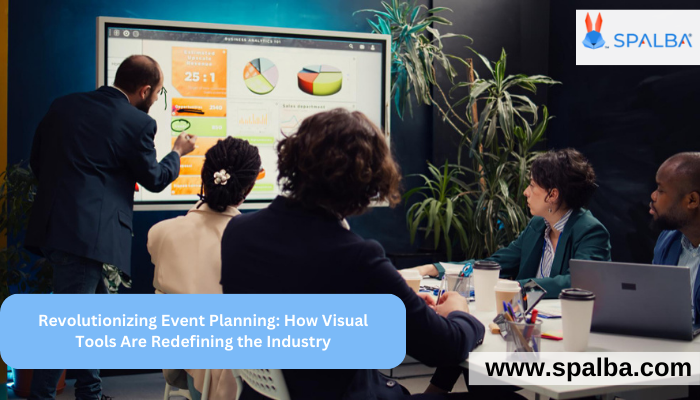
In the high-stakes world of event planning, precision and presentation are everything. Whether you're designing a corporate gala, wedding reception, or large-scale trade show, being able to visually communicate your ideas can make or break a client pitch. That’s where today’s digital planning tools—like Event Mockup Builders, Drag-and-Drop Editors, and advanced 2D & 3D Event Designs—come into play.
These platforms don't just help planners organize logistics—they empower them to visualize and sell the full event experience before a single chair is set up. Let’s explore how the rise of event visualization tools is transforming the industry and why forward-thinking planners are adopting them as a core part of their workflow.
The Shift to Visual Event Planning
Gone are the days of paper layouts, flat floor plans, and imagination-dependent presentations. Clients today expect a visual-first experience—and planners need tools that offer just that.
An Event Mockup Builder allows planners and venues to create digital replicas of their event spaces, complete with furniture, lighting, décor, and even branding elements. These mockups are not only used for internal planning but also serve as compelling visual presentations to clients and stakeholders.
Drag-and-Drop Editors: Simplicity Meets Creativity
At the heart of these platforms is the intuitive Drag-and-Drop Editor—a game-changer for planners who want power without complexity. With just a few clicks, you can:
-
Add tables, stages, and bars
-
Adjust seating layouts
-
Move objects freely within the space
-
Align elements with precision
-
Apply custom colors, branding, or themes
Whether you're tech-savvy or not, drag-and-drop interfaces make it easy to build professional-grade event designs in minutes, not hours. This helps save time, reduce errors, and improve collaboration across teams.
2D & 3D Event Designs: From Flat to Immersive
Many event visualization tools offer both 2D and 3D design views, allowing you to toggle between layout precision and visual immersion.
-
2D Designs are great for spatial planning, measurements, and flow management.
-
3D Designs bring your event to life, showing clients how lighting, decor, and furniture interact in a real-world setting.
These 3D visualizations can often be rendered in real time, allowing you to walk clients through their event space from various angles—or even in first-person view. This not only builds trust but also helps clients feel confident in your design decisions.
Benefits of Using an Event Visualization Tool
Integrating a robust visualization tool into your workflow can pay off in big ways. Here’s what you can expect:
1. Faster Approvals
Clients are more likely to greenlight designs when they can see exactly what they’re getting. No more back-and-forth over vague descriptions or guesswork.
2. Reduced Planning Errors
With accurate dimensions and object placement, planners can avoid layout issues and last-minute surprises on event day.
3. Improved Collaboration
Design mockups can be shared with vendors, decorators, and team members to ensure everyone is aligned before execution.
4. Stronger Sales Pitches
A visually polished presentation stands out. Whether you’re pitching a new client or showcasing a proposal to stakeholders, a visual mockup makes a lasting impression.
Who Should Use These Tools?
These tools aren't just for large agencies. Whether you're:
-
A freelance event planner
-
A wedding designer
-
A venue manager
-
A corporate event coordinator
…a good event mockup builder with 2D & 3D design capabilities can drastically improve how you plan, pitch, and execute events.
Top Platforms in the Space
While there are many tools available, some leading platforms include:
-
Allseated – known for its powerful 3D visualizations and floor planning
-
Social Tables by Cvent – ideal for hospitality venues and sales teams
-
Spalba – offering integrated venue mockups and immersive design tools
-
EventDraw – simple drag-and-drop with collaborative features
Each offers unique benefits, but they all share one goal: helping you visualize your event and deliver it flawlessly.
Final Thoughts
In today’s visually driven world, planning events without a design tool is like navigating without a map. The rise of the event mockup builder, drag-and-drop editor, and 2D & 3D event design features has empowered planners to work faster, smarter, and more creatively.
With an event visualization tool in your toolkit, you don’t just plan events—you bring them to life before they happen. And in an industry where experience is everything, that kind of foresight is priceless.

 English
 Arabic
 French
 Portuguese
 Deutsch
 Turkish
 Dutch
Dutch
 Italiano
 Russian
 Romaian
 Portuguese (Brazil)
 Greek
Greek
