


 Downloader
 Free FTP
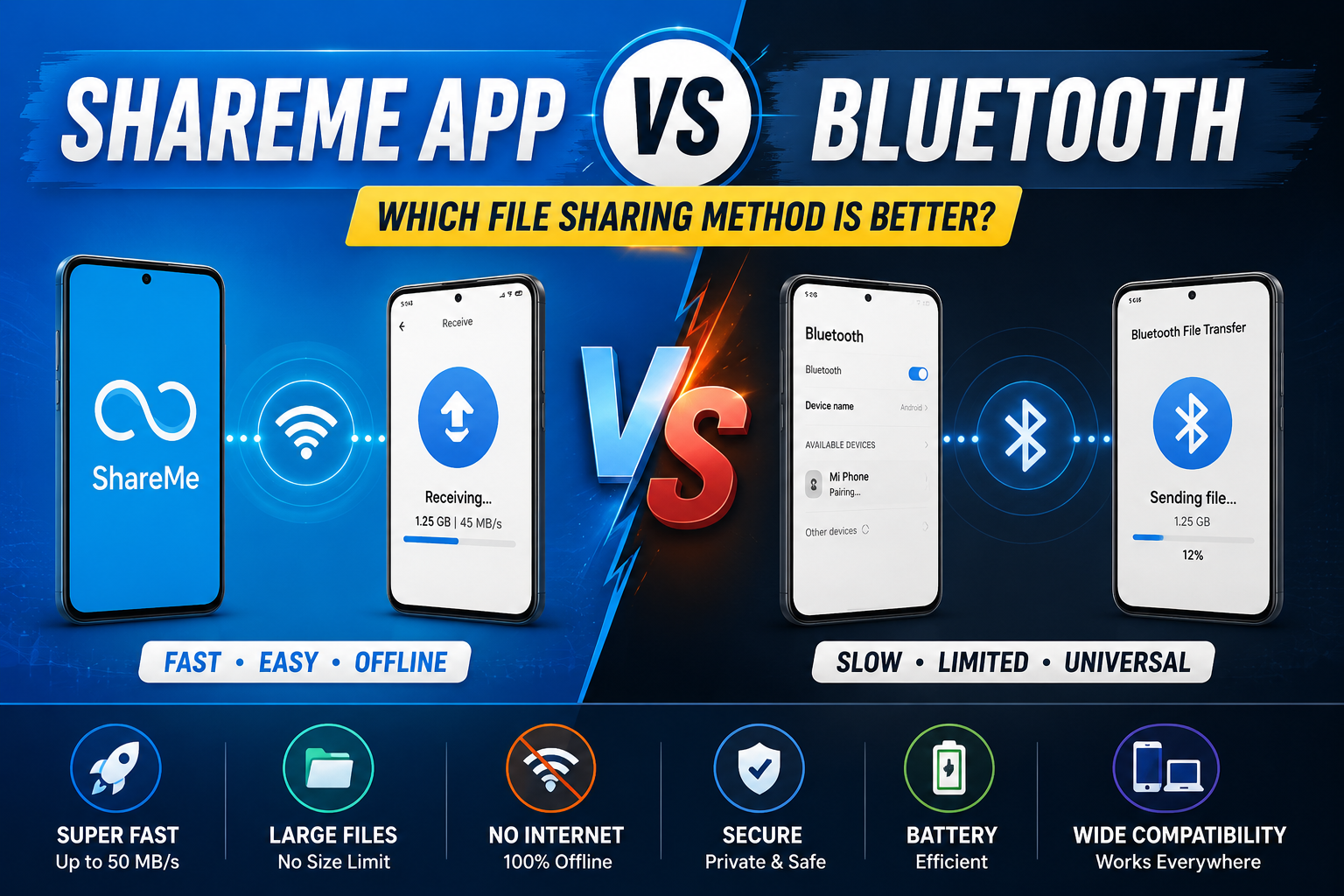
ShareMe vs Bluetooth: Why ShareMe Is the Faster File Sharing Solution
Introduction
File sharing has become an essential part of everyday digital life. Whether you're sending photos to a friend, transferring work documents to your laptop, or moving videos between devices, having a reliable file-sharing method can save both time and effort.
For many years, Bluetooth was the default solution for wireless file transfers. While it remains useful for connecting accessories such as headphones, keyboards, and smartwatches, it struggles when handling large files. This is where ShareMe stands out.
ShareMe is a modern file-sharing application designed to transfer files quickly between devices using Wi-Fi technology. Compared to Bluetooth, it offers significantly faster speeds, improved convenience, and a smoother user experience.
In this article, we'll compare ShareMe and Bluetooth in detail and explain why ShareMe has become the preferred choice for millions of users.
What Is Bluetooth?
Bluetooth is a short-range wireless communication technology that allows devices to exchange data without cables. It has been available on smartphones, laptops, tablets, and other electronic devices for decades.
Bluetooth is commonly used for:
-
Wireless headphones
-
Smart speakers
-
Fitness trackers
-
Wireless keyboards and mice
-
Small file transfers
Although Bluetooth is widely supported, its file transfer performance is limited by relatively slow data speeds.
What Is ShareMe?
ShareMe is a wireless file-sharing application that uses Wi-Fi technology instead of Bluetooth. It creates a direct connection between devices, allowing users to transfer files much faster.
ShareMe supports:
-
Photos
-
Videos
-
Music
-
Documents
-
Applications
-
Compressed files
-
Entire folders
Because it relies on Wi-Fi-based communication, ShareMe can achieve transfer speeds that are many times faster than Bluetooth.
ShareMe vs Bluetooth: The Core Difference
The biggest difference between ShareMe and Bluetooth is the technology used for transferring data.
Bluetooth
Bluetooth was designed primarily for low-power wireless communication rather than large-scale file transfers. As a result, transfer speeds remain relatively slow.
ShareMe
ShareMe uses Wi-Fi Direct and local wireless networking technologies to move files at much higher speeds. This allows users to send large files within seconds rather than minutes.
Simply put:
Bluetooth prioritizes compatibility and low power consumption, while ShareMe prioritizes speed and efficiency.
Speed Comparison
When users switch from Bluetooth to ShareMe, speed is usually the first thing they notice.
Bluetooth Transfer Speeds
Depending on the Bluetooth version and device hardware, speeds typically range from:
-
1 Mbps to 3 Mbps for older devices
-
Up to 24 Mbps under ideal conditions
However, real-world performance is often much lower.
Transferring a 1 GB video file via Bluetooth can take a long time and may even fail if the connection becomes unstable.
ShareMe Transfer Speeds
ShareMe leverages Wi-Fi connectivity, allowing transfer speeds that can exceed hundreds of Mbps under favorable conditions.
A large video that takes several minutes with Bluetooth may transfer in less than a minute using ShareMe.
This speed advantage becomes even more noticeable when sharing:
-
HD videos
-
4K recordings
-
Large photo collections
-
APK files
-
Work documents
Large File Transfers
Modern smartphones capture high-resolution photos and videos that consume significant storage space.
For example:
| File Type | Approximate Size |
|---|---|
| Photo Album | 500 MB |
| HD Movie | 2 GB |
| 4K Video | 5 GB+ |
| Mobile Game APK | 1 GB |
Bluetooth often struggles with files of this size.
ShareMe handles them much more efficiently because it was designed specifically for high-speed file sharing.
Ease of Use
Bluetooth Setup
Using Bluetooth typically requires:
-
Enabling Bluetooth on both devices.
-
Searching for nearby devices.
-
Pairing devices.
-
Confirming security prompts.
-
Selecting files.
-
Waiting for transfer approval.
The process can become frustrating, especially when devices fail to pair correctly.
ShareMe Setup
ShareMe simplifies the experience.
Users simply:
-
Open ShareMe.
-
Select files.
-
Connect devices.
-
Start transferring.
The interface is straightforward and designed specifically for file sharing.
Internet Usage
One common misconception is that ShareMe requires internet access.
Bluetooth
-
No internet required.
ShareMe
-
No internet required.
-
Uses local Wi-Fi connections.
-
Does not consume mobile data.
This makes ShareMe ideal for sharing files anywhere, even when internet access is unavailable.
Reliability and Stability
Bluetooth connections can sometimes become unstable, especially when:
-
Devices move too far apart.
-
Multiple Bluetooth devices are active.
-
Large files are being transferred.
Interrupted transfers often force users to restart the process.
ShareMe generally provides a more stable connection because Wi-Fi offers greater bandwidth and stronger data transmission capabilities.
As a result, transfer failures are much less common.
File Type Support
Both Bluetooth and ShareMe support various file formats.
However, ShareMe offers a smoother experience when handling:
-
Large videos
-
Applications (APK files)
-
Full folders
-
Bulk transfers
Bluetooth works best for smaller files such as:
-
Individual photos
-
Contact cards
-
Small documents
For professional or heavy use, ShareMe is usually the more practical choice.
Cross-Platform Convenience
ShareMe can be used with:
-
Android smartphones
-
Windows PCs
-
Laptops
-
Tablets
Using ShareMe's computer connection feature, users can transfer files between Android and Windows wirelessly without USB cables.
Bluetooth also supports multiple platforms but often requires additional configuration and can be slower when working across devices.
Battery Consumption
Bluetooth
Bluetooth is known for low power consumption, making it excellent for connected accessories.
ShareMe
ShareMe uses Wi-Fi, which may consume slightly more battery during active transfers.
However, because transfers complete much faster, overall battery impact is often minimal.
In many situations, finishing a transfer quickly is more efficient than keeping Bluetooth active for extended periods.
Security Considerations
Both technologies provide secure local transfers.
Bluetooth Security
-
Device pairing required.
-
Security codes and confirmations.
-
Encryption support.
ShareMe Security
-
Local device connections.
-
No cloud storage involvement.
-
Direct device-to-device transfers.
Since files remain within the local network, users maintain control over their data.
Real-World Example
Imagine you want to transfer a 2 GB video from your Android phone to a friend's device.
Using Bluetooth
-
Pair devices.
-
Select video.
-
Wait several minutes.
-
Risk transfer interruption.
Using ShareMe
-
Open app.
-
Connect devices.
-
Transfer video rapidly.
-
Complete transfer in a fraction of the time.
This practical advantage is one reason why many users stop using Bluetooth for file sharing altogether.
Quick Comparison Table
| Feature | ShareMe | Bluetooth |
|---|---|---|
| Transfer Speed | Very Fast | Slow |
| Large File Support | Excellent | Limited |
| Internet Required | No | No |
| Ease of Use | Easy | Moderate |
| Device Pairing | Usually Not Needed | Required |
| Folder Transfer | Supported | Limited |
| Windows Connectivity | Excellent | Average |
| Transfer Reliability | High | Moderate |
| Best For | Large Files | Small Files |
When Should You Use Bluetooth?
Bluetooth still has its place.
It works well for:
-
Wireless headphones
-
Smartwatches
-
Fitness bands
-
Small file transfers
-
Accessory connections
For these tasks, Bluetooth remains an excellent technology.
When Should You Use ShareMe?
ShareMe is the better option when you need to:
-
Transfer large videos
-
Share hundreds of photos
-
Move files to a PC
-
Send APK files
-
Transfer folders
-
Save time
If speed is your priority, ShareMe is the clear winner.
Conclusion
While Bluetooth continues to be useful for connecting wireless accessories and sharing small files, it simply cannot match the performance of modern file-sharing solutions like ShareMe. By utilizing Wi-Fi technology, ShareMe delivers significantly faster transfer speeds, greater reliability, and a more convenient user experience.
Whether you're moving photos, videos, documents, or applications, ShareMe allows you to complete transfers in a fraction of the time required by Bluetooth. For users who regularly exchange files between smartphones and computers, ShareMe provides a faster, smarter, and more efficient solution.
If you're tired of slow wireless transfers, ShareMe is undoubtedly one of the best alternatives available today.

 English
 Arabic
 French
 Spanish
 Portuguese
 Turkish
 Dutch
Dutch
 Italiano
 Russian
 Romaian
 Portuguese (Brazil)
 Greek
Greek
