


 Downloader
 Free FTP
How to Get Professional Movie Quality on Your QLED TV
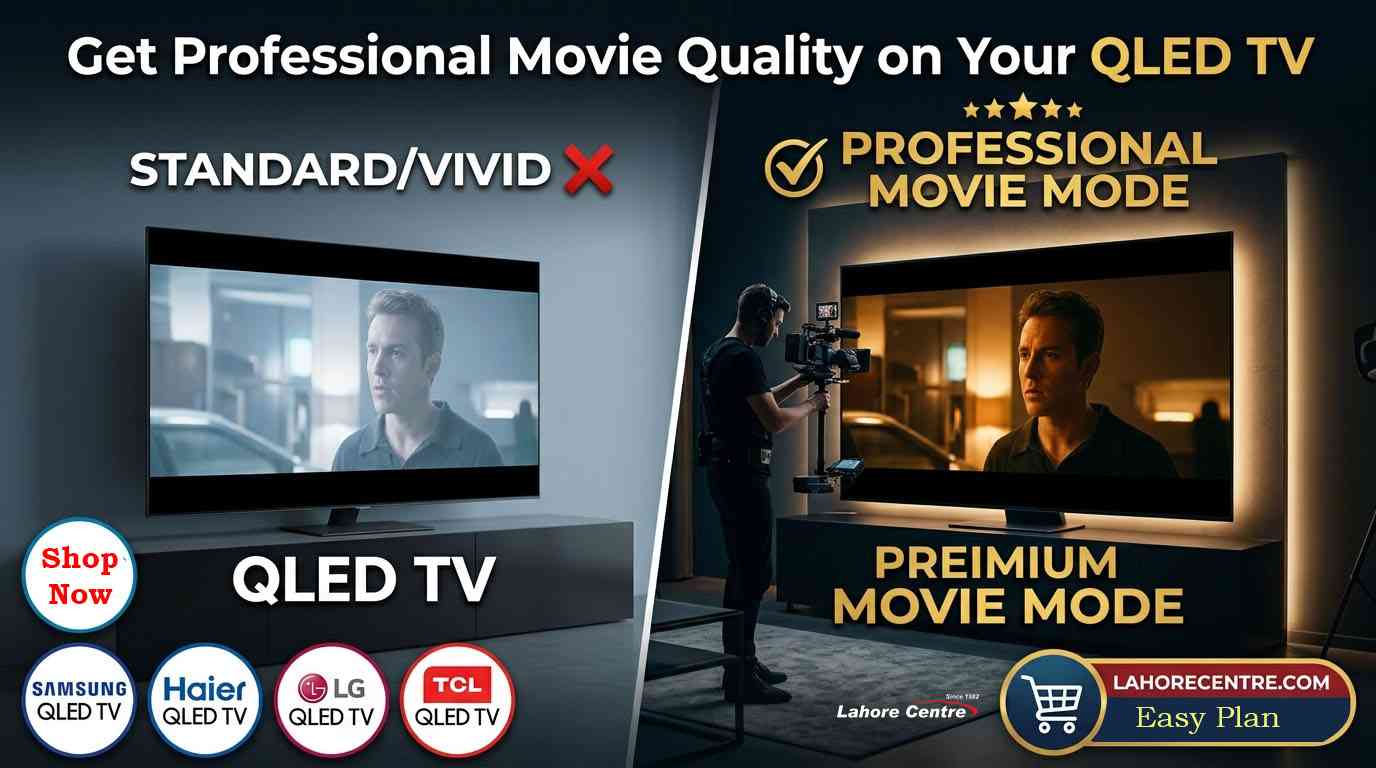
Get cinema quality at home! Learn how to optimize your QLED TV picture settings. Find top brands at Lahore Centre on easy payment plans today.
Cinema Quality at Home: QLED Movie Setting Tips
We have all experienced that moment of sheer awe when sitting in a premium commercial cinema. The lights go down, the massive projector fires up, and suddenly you are completely transported into another world. The colors look rich but entirely natural, the dark shadows hide secrets without turning into a blurry mess, and the bright highlights mimic real life perfectly. Then, you go home, turn on your LED TV, and everything looks like a brightly lit daytime soap opera or a neon-infused music video. It feels flat, artificial, and completely disconnected from what the movie director intended you to see. The good news is that your modern display is fully capable of recreating that exact big-screen magic. You just need to crack open the settings menu and unleash its true potential.
The Standard Factory Trap
When you first unbox a brand-new television, it is almost always set to a mode called "Standard," "Vivid," or "Dynamic." Manufacturers do this on purpose. They want the screen to look incredibly bright and aggressively colorful so it catches your attention on a crowded showroom floor under harsh fluorescent lights. But when you bring that same display into a cozy, dimly lit living room, those factory-default settings are the enemy of true cinema. A premium QLED TV packs an immense amount of light power and quantum dot color accuracy, but keeping it on the default vivid mode is like driving a high-end sports car completely in first gear. It is flashy, but it isn't giving you the sophisticated performance you actually paid for.
The Magic of Filmmaker Mode
If you want to completely transform your viewing experience with a single click, look for a preset called "Filmmaker Mode" or "Movie Mode." This feature is the closest thing to an instant cinema button. When you activate it on a modern Samsung QLED TV, the processor automatically disables all the artificial sharpness filters, turns off edge enhancement, and stops the screen from trying to make an old classic movie look like it was shot on a digital smartphone yesterday. It locks the display into the exact frame rates, color profiles, and contrast ratios that the Hollywood production team used in their professional editing bays, giving you an authentic studio experience right on your couch.
Banishing the Soap Opera Effect
We need to talk about the absolute worst culprit in modern home entertainment: motion smoothing. Every brand has a different name for it—Auto Motion Plus, TruMotion, or Motion Flow—but the result is always the same. It takes a classic cinematic masterpiece shot at a beautiful 24 frames per second and artificially injects fake frames to make it look smooth, fast, and completely cheap. If you are watching a dark suspense movie on an LG QLED setup, motion smoothing completely strips away the tension and dramatic weight, making the actors look like they are performing a live play in your room. Head directly into your advanced picture settings, locate the motion interpolation controls, and turn them completely off for films. Save the high frame rates for live football matches and video games where fast motion actually matters.
Tuning the Backlight for Dark Rooms
One of the most common mistakes people make when configuring their display for an evening film session is leaving the panel brightness at maximum. Remember that there is a massive difference between your "Brightness" setting (which controls your overall black levels) and your "Backlight" or "Panel Light" setting (which controls how hard the internal LEDs are glowing). If you are using a TCL QLED TV screen in a completely dark room, dropping the backlight down significantly will instantly prevent your eyes from getting tired. It also dramatically improves your contrast, allowing you to see the fine details in dark jackets, night-time cityscapes, and deep space starfields without washing out the entire picture into a foggy shade of grey.
Achieving Natural Color Warmth
When you first switch your television from a cool or standard profile to a movie preset, you might think the picture looks a little too yellow or warm. This is completely normal! Standard television settings are chemically tuned to look artificial and blueish because our human eyes mistakenly perceive cold, blue light as being "cleaner." However, professional movie cameras shoot with warm color templates to replicate natural sunlight and realistic human skin tones. An optimized Haier QLED TV setting will use "Warm 2" or "Movie" presets because they accurately represent the warmth of an actual cinema lamp projector. Give your eyes about fifteen minutes to adapt to this warmer palette, and you will quickly realize that the cold default settings were actually stripping away the rich, lifelike depth of your favorite media.
Choosing Your Local Cinema Hub
Setting up a flawless entertainment space requires the right raw hardware to begin with. Trying to squeeze professional cinema quality out of an unbranded, low-tier display panel will always lead to disappointment because the internal processors simply do not possess the math skills to handle complex video streams. When you want to explore genuine panels side-by-side to find the absolute best match for your room layout, visiting a certified dealer like Lahore Centre is your smartest move. Seeing how different backlighting arrays handle deep shadows under real-world conditions completely removes the stress of buying an appliance blindly.
Key Features:
When evaluating a display panel for true cinematic capabilities, you should always double-check a few key technical milestones on the retail spec sheet. Ensure the television has a native 10-bit color panel so it can display over a billion colors seamlessly without showing ugly pixelated lines in sunsets or skies. Look for full-array local dimming or advanced zone control, which lets the screen turn off specific clusters of backlights in dark scenes to achieve perfect, ink-like black levels. Make sure the internal system processor fully supports dynamic HDR formats like Dolby Vision or HDR10+, which send frame-by-frame instructions to your television to keep the lighting looking incredibly realistic throughout the entire length of the movie.
Buy on Installments in Lahore
Let’s be completely open here—bringing home a high-end, cinema-grade television system represents a significant milestone for any family budget. If paying the full retail cost upfront feels like it will put an uncomfortable strain on your immediate savings, you do not have to settle for a small or low-quality screen. Utilizing an accessible, interest-free payment plan allows you to mount a massive, feature-rich display on your wall tonight while breaking the total cost into manageable monthly payments over the coming year. Please be aware that these custom-tailored installment programs are available just in Lahore, and students are not eligible for installments plan due to the necessary verification of stable, recurring professional income streams.
You can:
Enable specialized theater audio tracking to make movie dialogue sound crystal clear even during massive action sequences.
Sync your media player directly to the optimal HDMI ports to ensure uncompressed 4K video signals reach the screen.
Adjust your internal gamma settings to 2.2 or BT.1886 to guarantee flawless black levels during night-time viewings.
Create a customized picture profile specifically for daytime watching and another for late-night movie sessions.
Why You Buy on Installments From Lahore Centre
Acquiring your home electronics from a long-standing, trusted local marketplace ensures that you are receiving a 100% genuine product directly from authorized manufacturing pipelines. Our payment options are structured around total clarity, ensuring you will never encounter sudden administrative fees, hidden interest catches, or confusing contract loops. We are fully committed to making premium modern entertainment comfortable and attainable, allowing you to elevate your home life with absolute financial security and long-term peace of mind.
You get:
A guaranteed original, factory-sealed retail unit complete with full official brand verification.
Direct assistance from technical experts who can guide you through complex setup menus.
Fast, fully insured transit and safe home delivery straight to your living space.
A transparent, predictable payment structure that remains completely stable throughout your plan.
Warranty Information:
Every single premium display system distributed through authorized retail channels comes backed by a comprehensive, official manufacturer's warranty framework. In almost all instances, this provides a solid 2-year protection net for the delicate quantum dot LED matrix alongside a full 1-year coverage plan for the internal processing motherboards, speaker hardware, and power supply units. Retaining this paperwork ensures your home entertainment investment remains completely safe from any sudden electronic component errors.
FAQs:
Why does movie mode look slightly yellow at first?
Movie mode matches the natural warmth of real sunlight and commercial cinema projectors. Your eyes will completely adapt to this much healthier, more realistic color balance within a few minutes of watching.
Should I keep sharpness settings at high levels for films?
No, artificial sharpness controls actually create fake digital lines around objects, which destroys fine textures. For movies, keep your sharpness slider between zero and ten percent.
Can I look at a high-end display in person before making a choice?
Yes, you can check the color depth of a Samsung QLED TV or compare multiple screens directly on our showroom floors.
What is the simplest way to fix dark scenes that look washed out?
You need to reduce your overall backlight setting down to a lower level while keeping your main brightness setting right around fifty percent.
Do premium soundbars connect easily to these televisions?
Yes, all modern sets feature an HDMI eARC port that lets you route premium audio formats like Dolby Atmos to your soundbar using just a single cable.
Is a 120Hz refresh rate necessary for standard movies?
Most movies are filmed at 24 frames per second, so a 120Hz screen isn't strictly required for cinema, but it is incredible for live sports and gaming.
Which brand provides the fastest access to cinematic presets?
Both the LG QLED TV arrays and the TCL QLED TV lineups offer dedicated, one-click picture menu shortcuts to activate filmmaker settings instantly.

 English
 French
 Spanish
 Portuguese
 Deutsch
 Turkish
 Dutch
Dutch
 Italiano
 Russian
 Romaian
 Portuguese (Brazil)
 Greek
Greek
