



The Ultimate Guide to Finding the Most Reliable Source for a Refurbished MacBook Air M3
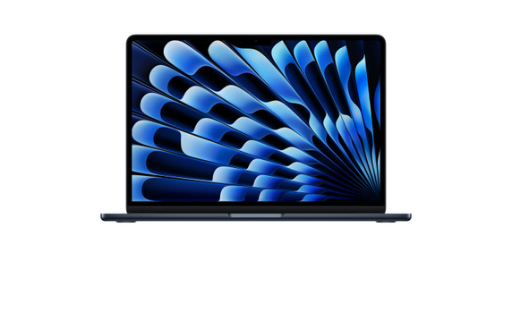
If you have been eyeing the latest Apple silicon but your bank account is staging a protest, you aren't alone. The M3 chip is a powerhouse, turning the MacBook Air into a machine that handles everything from heavy spreadsheets to 4K video editing with startling ease. But let's be real—buying brand new is a luxury that doesn't always fit the budget. That is where the refurbished market steps in.
Finding a refurbished macbook air m3 can feel like a bit of a gamble if you don't know where to look. You want that "new car smell" (or at least the tech equivalent) without the risk of a "lemon." In this guide, we'll break down exactly how to spot a trusted seller and why the M3 model is currently the sweet spot for value and performance.
Why the M3 MacBook Air is the Current Gold Standard
The leap to the M3 chip wasn't just a minor incremental update; it brought significant improvements in thermal efficiency and graphics performance. For the average user, this means the laptop stays cool and quiet even when you're multitasking like a pro. When you buy these refurbished units, you are essentially getting 2024-level technology at a price point that rivals older, slower models. It's the smartest way to future-proof your setup.
Understanding What "Refurbished" Actually Means
There is a massive difference between "used" and "refurbished." A used laptop is often sold "as-is" by a random person on a marketplace. A refurbished unit, however, has undergone a rigorous inspection. A trusted seller will check the battery health, screen pixels, keyboard responsiveness, and internal components. If something is broken, they fix it. If the battery is worn out, they replace it. You’re getting a machine that has been certified to work like new.
The Importance of the Grading System
Most reliable suppliers use a grading system (Grade A, B, or C) to describe the physical condition of the device.
-
Grade A: Near-mint condition, often indistinguishable from new.
-
Grade B: Minor cosmetic scratches or scuffs that don't affect performance.
-
Grade C: Visible wear and tear but fully functional. For an M3 model, I usually recommend sticking to Grade A to ensure you get the full premium experience.
Top Features to Check Before You Buy
Before you hit that "Buy Now" button, you need to verify the specs. The M3 Air comes in various configurations. Ensure you are getting at least 8GB of Unified Memory (though 16GB is the "sweet spot" for longevity) and a solid-state drive (SSD) that fits your storage needs. Since the M3 supports dual external displays (when the lid is closed), it’s a favorite for home office setups.
| Feature | Minimum Recommendation | Power User Recommendation |
| RAM | 8GB | 16GB or 24GB |
| Storage | 256GB SSD | 512GB or 1TB SSD |
| Battery Health | 80% or Higher | 90% or Higher |
| Warranty | 6 Months | 12 Months |
Where to Find a Trusted Seller Online
The internet is flooded with deals, but not all are created equal. You want to look for sellers that specialize in Apple hardware. These specialists understand the nuances of the M3 architecture and use the correct diagnostic tools. Avoid fly-by-night operations on social media marketplaces; instead, look for established e-commerce platforms with verified SSL certificates and clear contact information.
Evaluating Seller Transparency and Reviews
A reliable source won't hide their flaws. Look for a seller that has a transparent review system. Check third-party sites like Trustpilot or Google Reviews rather than just the testimonials on their own homepage. If people are praising the customer service and the "like-new" quality of the laptops, you’re likely in safe hands.
Red Flags to Watch Out For
If a price seems too good to be true—like an M3 Air for the price of a decade-old Chromebook—it probably is. Other red flags include sellers who only accept non-traceable payments (like wire transfers or certain crypto) or those who provide no information on their return policy.
The Role of Warranty in Your Purchase
I cannot stress this enough: never buy a refurbished M3 without a warranty. Even the best tech can have a hiccup. A trusted seller will offer at least a 6-month to 1-year warranty. This shows they have confidence in their refurbishing process. It gives you peace of mind knowing that if a hardware fault develops, you aren't left with an expensive paperweight.
Comparing the 13-inch and 15-inch M3 Models
When searching for your M3, you'll likely see two sizes. The 13-inch is the king of portability, perfect for students or digital nomads. The 15-inch offers more real estate screen and slightly better speakers. Both benefit from the M3's efficiency, so your choice should depend on whether you value a light bag or a big workspace.
Battery Life Expectancy on Refurbished Units
Apple silicon is famous for its battery life, often lasting up to 18 hours. When buying refurbished, ask the seller about the "Cycle Count." A lower cycle count means the battery has more life left in it. Most reputable refurbishers guarantee a battery capacity of at least 80% of its original state.
The Environmental Impact of Choosing Refurbished
Beyond saving money, buying a refurbished M3 is a win for the planet. Every time we reuse a high-end laptop, we reduce electronic waste and the demand for new mining. It's a sustainable choice that aligns your tech needs with environmental responsibility. You get the latest tech, and the Earth gets a little break.
Buying Criteria Comparison
| Criterion | What to Look For | Why it Matters |
| Return Policy | 14-30 Days | Allows you to test the device thoroughly. |
| Tech Support | Responsive Email/Phone | Vital if you have setup questions. |
| Original Accessories | Included Charger | Third-party chargers can sometimes be unreliable. |
| Document | Insured & Tracked | Protects your investment during transit. |
Final Steps: Setting Up Your New-to-You MacBook
Once your MacBook arrives, do a quick inspection. Check the hinges, test every key on the keyboard, and make sure the screen is free of dead pixels. Sign into your iCloud, run the latest macOS updates, and enjoy the blistering speed of that M3 chip. You just saved hundreds of dollars without sacrificing an ounce of performance.
At the end of the day, getting a high-tier laptop doesn't have to break the bank. By choosing a trusted source that prioritizes quality and customer satisfaction, you can enjoy the sleek design and raw power of Apple's latest innovations. If you are looking for high-quality refurbished tech that you can actually rely on, look no further than TechPros. We pride ourselves on being the go-to experts for reliable hardware, ensuring every device meets the highest standards before it ever reaches your hands.
- Art
- Causes
- Crafts
- Dance
- Drinks
- Film
- Fitness
- Food
- Παιχνίδια
- Gardening
- Health
- Κεντρική Σελίδα
- Literature
- Music
- Networking
- άλλο
- Party
- Religion
- Shopping
- Sports
- Theater
- Wellness

