


 Downloader
 Free FTP
Bridging the Gap: How to Connect Legacy RS-232 Devices to the Cloud
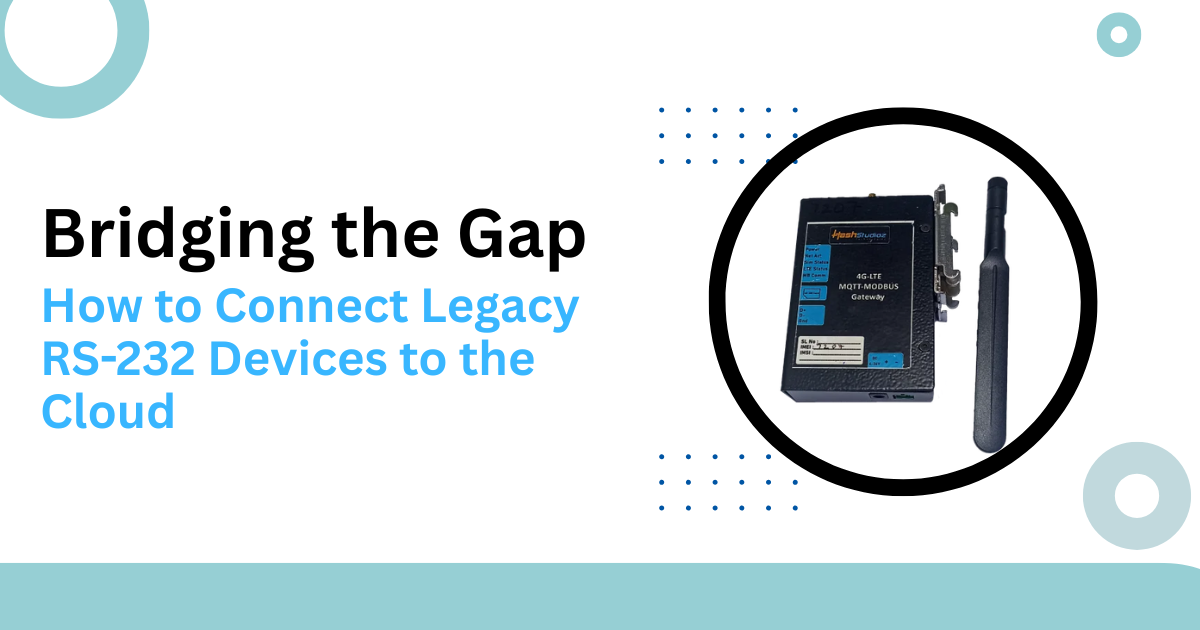
Many factories still use machines from the 1990s. These machines are strong and reliable. They perform their primary tasks without many errors. However, they lack modern communication ports. They rely on the RS-232 serial standard.
RS-232 was the king of data transfer decades ago. It uses simple voltage signals to send bits. It works well for short distances. But it cannot connect to the internet directly. This creates a massive data gap.
Engineers want to see machine data in the cloud. They want to track heat, speed, and vibration. This allows for better planning and lower costs. To do this, they must bridge the gap. An RS-232 to Ethernet Gateway is the primary tool for this job.
What is an RS-232 to Ethernet Gateway?
This device acts as a translator. It has an RS-232 serial port on one side. It has an RJ45 Ethernet port on the other side. It takes the serial pulses and packages them into TCP/IP packets.
The Ethernet Gateway gives the old machine an IP address. Now, the machine looks like a modern network device. IT systems can "talk" to the machine over the local network. They can even reach it from across the world via the cloud.
Why Connect Legacy Devices to the Cloud?
Keeping old machines offline is risky today. Competitors use real-time data to grow faster. Connecting your legacy gear provides several clear benefits.
1. Centralized Data Collection
You no longer need to walk to each machine with a clipboard. The gateway sends all data to a central server. You see everything on one screen.
2. Predictive Maintenance
Old machines often break without warning. Constant monitoring reveals small changes in behavior. You can fix a bearing before it snaps. This saves thousands of dollars in emergency repairs.
3. Improved Accuracy
Manual data entry leads to human error. Digital transfer is 99.9% accurate. This leads to better business reports and cleaner audits.
Technical Mechanics of the Conversion
The conversion process involves several technical steps. The gateway handles these tasks in milliseconds.
1. Serial Encapsulation
The gateway receives raw serial bytes. It places these bytes into the "payload" section of an Ethernet frame. This is like putting a letter inside a modern shipping box.
2. Virtual COM Ports
Most old software expects a physical serial port on the computer. A modern server does not have these ports. The gateway software creates a "Virtual COM Port." The software thinks it is talking to a local wire. In reality, the data travels over the network.
3. Modbus Conversion
Many RS-232 devices use the Modbus RTU protocol. The gateway can convert this to Modbus TCP. This allows modern SCADA systems to read the data easily.
Statistics on Legacy Infrastructure
Legacy systems are more common than most people think. They still form the backbone of global industry.
|
Industry Sector |
Percent Using Legacy Serial Gear |
|
Manufacturing |
65% |
|
Water Treatment |
72% |
|
Power Distribution |
58% |
|
Old Building HVAC |
80% |
Research shows that replacing these machines costs 10 times more than adding a gateway. A simple RS-232 to Ethernet Gateway extends the life of a million-dollar machine.
Choosing the Right Hardware
Not every gateway is the same. You must match the hardware to your specific environment.
1. Industrial vs. Commercial Grade
Factories have dust, heat, and vibration. A cheap plastic gateway will fail. Look for an Ethernet Gateway with a metal casing. Ensure it has a wide temperature range.
2. Port Density
Some gateways have one port. Others have sixteen. If you have a row of machines, a multi-port gateway saves space and money.
3. Isolation and Protection
Electrical noise is common in plants. High-quality gateways offer "Galvanic Isolation." This protects the network from power surges on the serial side.
Security for Legacy Connections
Old RS-232 devices have zero built-in security. They do not use passwords or encryption. Connecting them to the cloud creates a target for hackers.
1. Data Encryption
The gateway must support SSL/TLS encryption. This protects the data as it moves through the cloud. Without encryption, anyone can read your factory secrets.
2. IP Filtering
You should restrict which computers can talk to the gateway. An Ethernet Gateway should allow you to create an "Allow List." This blocks unauthorized traffic from the start.
3. Secure VPNs
For the best protection, use a VPN. The gateway sends data through a secure tunnel. This keeps the legacy machine hidden from the public internet.
Real-World Examples
1. Medical Lab Gear
A hospital has ten blood chemistry analyzers. These machines cost $200,000 each. They only have RS-232 ports. The hospital wants to send test results directly to patient records.
They install an RS-232 to Ethernet Gateway on each analyzer. The gateways send the data to a secure cloud server. Doctors now see results in minutes instead of hours. The hospital did not have to buy new analyzers. They saved millions of dollars while improving patient care.
2. Pumping Stations
A city manages 50 remote water pumps. These pumps are thirty years old. Technicians used to drive to each site to check the status. This cost a lot in fuel and labor.
The city added an Ethernet Gateway to each pump controller. Now, the pumps send status updates over a cellular link to the cloud. If a pump fails at 2:00 AM, the system sends a text to the technician. The city reduced site visits by 40%.
Managing Latency and Timing
Serial communication is very sensitive to timing. If the network is slow, the machine might think the connection is dead. This is "Latency."
1. Buffer Settings
A good gateway allows you to adjust the "Packet Packing" settings. You can tell the gateway to wait for a specific character before sending. This ensures the cloud receives a complete message.
2. Bandwidth Management
Serial data is very small. Even 1,000 machines won't clog a modern network. However, you should still prioritize this traffic. This prevents a video stream from slowing down your machine data.
Future-Proofing with MQTT
The cloud loves a protocol called MQTT. It is very fast and uses little data. Many modern gateways can convert RS-232 data directly to MQTT.
This makes it easy to use "Big Data" tools. You can feed your serial data into an AI model. The AI can then find patterns you never noticed. This is the true goal of the Industrial Internet of Things (IIoT).
Common Installation Mistakes
Avoid these errors to ensure a stable connection.
-
Wrong Pinout: RS-232 cables have different "pinouts." Check if you need a "Null Modem" or "Straight-Through" cable.
-
Baud Rate Mismatch: Both the machine and the gateway must use the same speed. If one is 9600 and the other is 115200, you will get garbage data.
-
Poor Grounding: Ensure the gateway and the machine share a common ground. This prevents data errors from electrical noise.
Cost-Benefit Analysis
Adding a gateway is a smart financial move.
-
Lower Capital Expense: You keep your existing machines.
-
Lower Operating Expense: You automate data collection.
-
Faster Response: You find problems before they cause a shutdown.
Conclusion
You do not need to throw away your old equipment. The gap between RS-232 and the cloud is easy to bridge. Hardware like the Ethernet Gateway provides a reliable path for data.
By connecting your legacy gear, you gain a massive competitive edge. You get better data, lower costs, and safer operations. The technology of the past can work perfectly with the tools of the future. All you need is the right translator.
Start small with one machine. Once you see the value of the data, you will want to connect everything. The cloud is waiting for your serial data. Don't let your legacy machines stay in the dark. Bring them into the digital age today.

 English
 Arabic
 French
 Portuguese
 Deutsch
 Turkish
 Dutch
Dutch
 Italiano
 Russian
 Romaian
 Portuguese (Brazil)
 Greek
Greek
