


 Downloader
 Free FTP
Promote Your Product
Got a product, service, or story to share? Promote it directly to our active community and boost your brand today.
Create an Ad
Publish Bulk Blog Posts
Boost Your Reach! 📝
Have articles, guest posts, or bulk stories to publish? Send your content directly to our editorial team and feature on our platform.
Email Us Your PostsReliving the Blocky Days: Your Guide to Eaglercraft
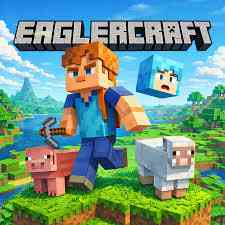
For many gamers, the barrier to entry for high-quality sandbox games is often hardware or software restrictions. Whether you are on a school Chromebook, a restricted work laptop, or simply a device without much storage space, you might feel left out of the creative building phenomenon. This is where Eaglercraft comes into play—a fascinating project that allows players to experience a classic version of the world’s most famous block-building game directly through a web browser.
What is Eaglercraft?
At its core, Eaglercraft is a web-based port of Minecraft Beta 1.3 or 1.5.2 (depending on the version you find). It is not a stream or a cloud-gaming service; rather, it is a JavaScript-based recreation that runs natively in your browser. This means you don’t need to download bulky launchers or install Java on your system. You simply navigate to the site, let the assets load, and you are ready to start punching trees and building shelters.
The Gameplay Experience
The gameplay is remarkably faithful to the original experience. When you first launch the game, you can create a single-player world or join a dedicated multiplayer server. The controls are exactly what you would expect: WASD to move, Space to jump, and the mouse to look around and interact with blocks.
Because it is based on an older version of the game, the experience feels nostalgic. You’ll find the classic "Oof" sound effects, the original textures, and the simplified survival mechanics. You can mine deep into the earth for iron and diamonds, craft tools, farm crops, and defend your base from creepers and skeletons at night. Despite running in a browser, the performance is surprisingly smooth, making it a viable way to kill time during a break.
Tips for the Best Experience
To get the most out of your time in this browser-based world, consider these helpful tips:
- Export Your Saves: Since the game runs in your browser, your single-player worlds are stored in your browser’s local storage (cookies/cache). If you clear your browsing data, your world will be gone. Always use the "Export World" feature in the menu to save a backup file to your computer.
- Adjust Your Settings: If you experience lag, go into the video settings. Lowering the "Render Distance" can significantly boost your frame rate, especially on older laptops.
- Check Out Multiplayer: One of the best parts of Eaglercraft is the community. There are several active servers with mini-games like BedWars and Skyblock, allowing you to play with others without needing a premium account.
Conclusion
Eaglercraft is a testament to how far web technology has come. It provides an accessible, fun, and completely free way to enjoy a legendary gaming format without any technical hurdles. Whether you are a veteran player looking for a hit of nostalgia or a newcomer who wants to see what the "block game" hype is all about, playing in your browser is an incredibly convenient way to dive in. Just remember to save your progress, find a safe spot to hide before nightfall, and enjoy the infinite possibilities of your digital sandbox.

 English
 Arabic
 French
 Spanish
 Portuguese
 Turkish
 Dutch
Dutch
 Italiano
 Russian
 Romaian
 Portuguese (Brazil)
 Greek
Greek
